
Bloodhound: Endless Cases
Privacy Policy
Effective date:

The short version
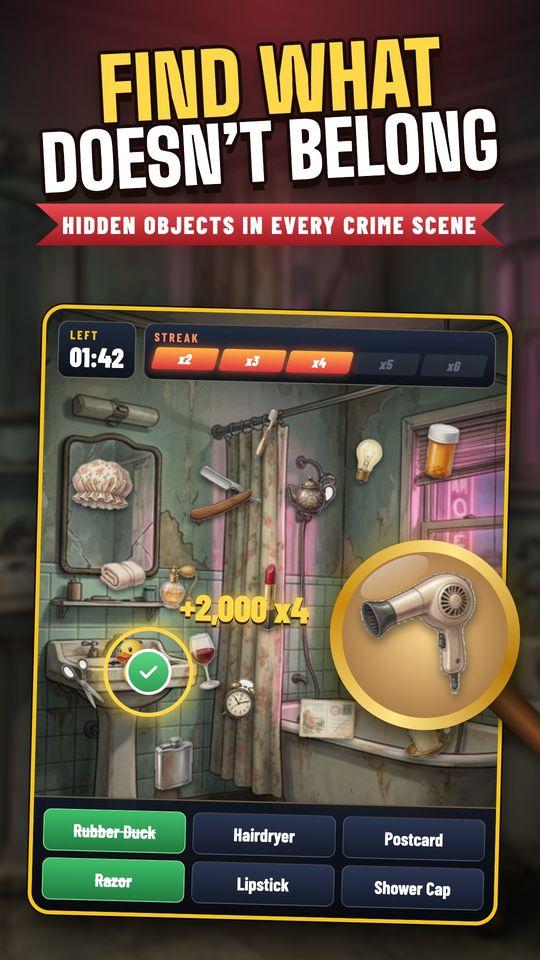
Bloodhound: Endless Cases ("the app"), package com.devflovv.bloodhound on Android, is published by Devflovv. The app is a single-player hidden-object detective game that plays fully offline. We collect no personal information and no usage data.
No accounts, no ads, no purchases.
- We collect no data, and the app sends none to us or to anyone else.
- No account, no login, no cloud save.
- No ads and no in-app purchases of any kind.
- No analytics, no crash reporting, no advertising IDs, no third-party SDKs that collect data, no tracking.
- No network requests: the app does not request the internet permission and needs no connection.
- Your progress and settings are stored by the app in its own storage on your device. If you use Android backup, your device may copy them into your own backup.
Which app this policy covers
This policy covers the Android version of the app, distributed on Google Play. An iOS version is planned. Before it is released, this policy will be updated to cover it.
What we collect
Nothing. The app does not collect, transmit or share any personal or usage data, and we never receive your cases, your progress, your coins or your settings. It does not read your advertising ID, and it contains no advertising, analytics or crash reporting software development kits (SDKs), and no other third-party code that collects data.
Accounts
The app has no accounts. There is nothing to sign up for or log in to, there is no cloud save, and the app does not ask for your name, email address or any other detail about you.
Permissions
The app asks for no permission that gives it access to your personal data. It never asks for access to your location, the camera, the microphone, your contacts or your photos or files. It does not request the internet permission and makes no network requests, so it does not connect to any server, ours or anyone else's.
The app declares the VIBRATE permission, used only for haptic feedback during play, which you can turn off in Settings: the Vibration switch. Sound effects and music each have their own switch too.
On Android, the system may also list technical entries that the game engine and the Android libraries the app is built with add, such as AndroidX's DYNAMIC_RECEIVER_NOT_EXPORTED_PERMISSION, which keeps the app's internal messages private. They give the app no access to your personal data.
Daily reminder
The daily reminder in Settings is off until you turn it on. When it is on, the app schedules a local notification on your device for the evening, reminding you that a new case is waiting. It is created by the app on your phone, with no server involved, and no information is sent anywhere to deliver it. On Android 13 or later, Android asks you first whether the app may show notifications; you can say no, or change it later in your device's settings. Turn the reminder off in Settings to stop it.
What is stored on your device, and why
To keep your game going, the app saves the following in its own storage on your device, in one save file and a backup copy of it that protects against a failed write. Other apps cannot read it, and none of it is sent to us:
- Your progress: your current case and district, the cases you have closed, your stars, rank and coins.
- Your boosters and Forensic Kits, your daily challenge progress, your special mode results, and the badges and keepsakes in your Evidence Locker.
- Your settings: sound effects and music, vibration, graphics quality, language, tutorial tips and the daily reminder, and whether you have answered the rate prompt.
Backups
The app itself never sends your data anywhere. Your device's own backup may copy it, and only if backup is on for your device:
- Android backup (Auto Backup) is left on for this app, so your device may include the app's saved data in your personal backup, and it may be copied when you move to a new device with Android's device transfer.
- If a backup is restored, your progress and settings can return, for example after you reinstall the app or set up a new phone.
- Whether this happens, and where a backup is kept, depends on your device settings and your backup service. We never receive your backup and cannot view or delete it. Your backup provider, such as Google, handles it under its own privacy policy.
Purchases and ads
The app has no in-app purchases and shows no ads. Coins, boosters, badges and keepsakes are earned only through gameplay and have no real-money value; no payment is ever taken, nothing is charged, and Google Play's in-app purchase system is not used. No ad is ever loaded and no ad network is contacted.
Cases, districts and daily challenges
Every case, scene and district is generated on your device. The daily case and the daily challenges use only your device's date and clock. Nothing is fetched from a server, and your results are never sent anywhere or compared with anyone else's.
Rating the app
After your second closed case the app may ask, once, whether you are enjoying it, and "Rate Bloodhound" is in Settings. If you choose to rate it, the app may open its page on Google Play, and only when you tap. The app sends nothing with it. What happens there, including any rating or review you choose to leave, is handled by Google under its own privacy policy. This is the app's only link to anything outside it.
Sharing and selling
We do not share, sell, rent or trade any data, because we do not collect any.
Third parties
The app contains no advertising networks, analytics services or crash reporting services, and the game engine's own data services are switched off. If you install the app from Google Play, Google handles the download and updates under its own privacy policy.
Children's privacy
The app is a detective game with mild crime and mystery themes: there are victims, suspects and arrests, but no gore. It is made for a general audience and is not directed at children under 13. It collects no personal information from anyone, children included, and we do not knowingly collect personal information from children under 13, or under the minimum age set by the law where they live, such as 16 in some countries of the European Union.
The app has no accounts, no chat, no user-generated content, no ads and no way to contact other people. Because nothing is collected, there is no personal information about a child for us to hold, review or delete. This is how the app is designed to respect children's privacy laws such as the US Children's Online Privacy Protection Act (COPPA) and the EU General Data Protection Regulation (GDPR).
If you are a parent or guardian and believe a child has sent us personal information, for example by email, contact us and we will delete it.
How to delete your data
You can remove the app's data from your device at any time:
- Use "Reset all progress" in the app's Settings and confirm it. This erases your districts, cases, coins, badges and settings. It cannot be undone.
- Uninstall the app to delete all of its data from your device.
- You can also clear the app's storage in your device's settings.
Copies in a backup
We hold no copy of your data, so we cannot recover your progress for you. None of the steps above removes a copy already held in your device backup, and we cannot remove it for you. To delete one, use the backup settings on your device or in your backup account.
Changes to this policy
If this policy changes, for example when the iOS version is released, the new version will be posted on this page with a new effective date. Before any version of the app sends data anywhere, this policy will be updated to say exactly what and why.
Contact
Questions about this policy? Email hello@devflovv.com.