One tap to connect.
Orbix VPN
Tap once to encrypt your connection on public Wi-Fi and hide your IP address from the websites you visit. Orbix VPN connects you to free public servers run by volunteers around the world, with a kill switch, split tunneling and tracker blocking built in. No account, no sign-up and no ads.
Google Play: coming soon
How it works- Platform
- Android 8.
0 or later - Price
- Free
- Protocol
- OpenVPN
- Package
- com.
devflovv. orbixvpn
How it works
Tap, pick a server, browse.
- 1
Tap to connect
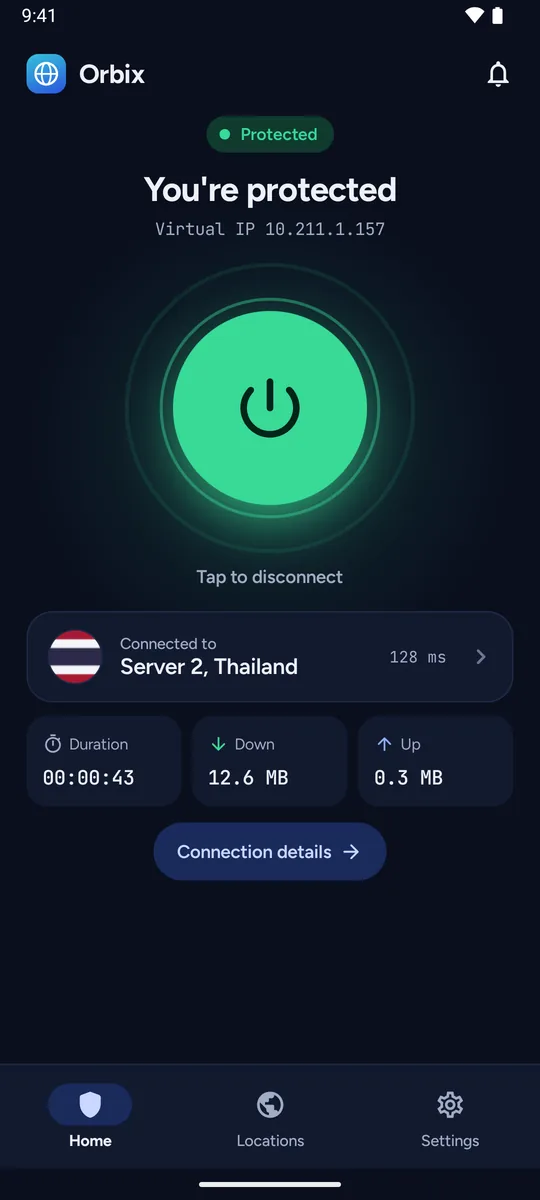
One big button connects you, to the fastest location or to a server you pick. Android asks you once to allow the app to set up a VPN.
- 2
Pick a server
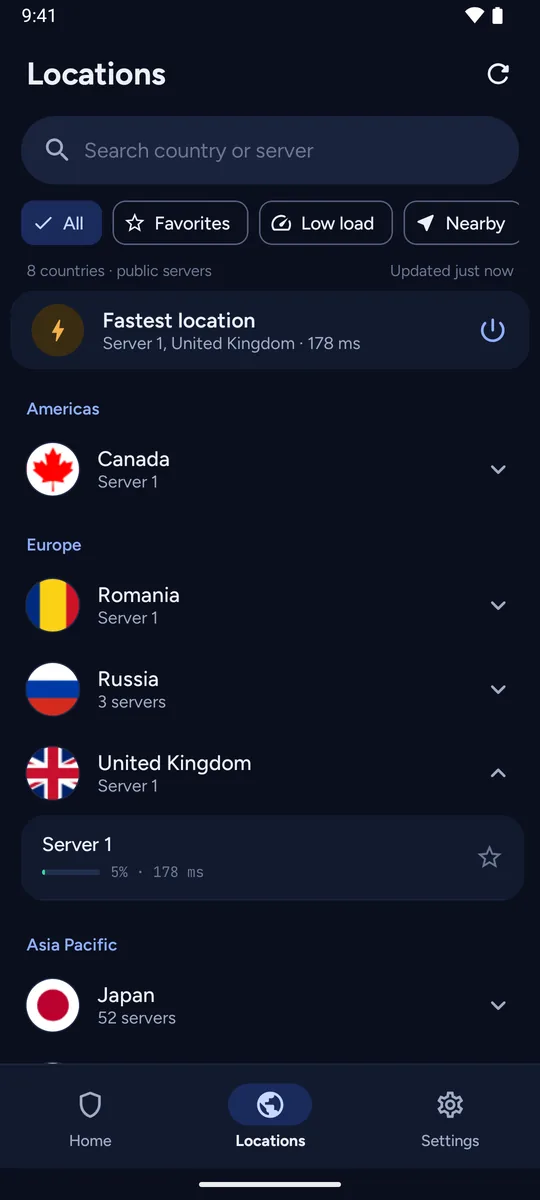
Browse free public servers grouped by region, with live load and latency, a search, favorites and a Fastest location shortcut.
- 3
Browse through the VPN
Your traffic is encrypted between your device and the server, and websites see the server's IP address instead of yours.
Features
Everything in one free app
One-tap connect
One big button does it all. See the connection time, data used and your virtual IP at a glance.
Free volunteer-run servers
Public servers run by volunteers around the world, grouped by region, with live load and real latency.
OpenVPN over UDP or TCP
Traffic is encrypted with the OpenVPN protocol. Automatic mode uses each server's preferred mode, or you can pick UDP or TCP yourself.
Live stats
Connection time and data used on the home screen and in a live notification, plus a Quick Settings tile to connect or disconnect in one tap.
Kill switch
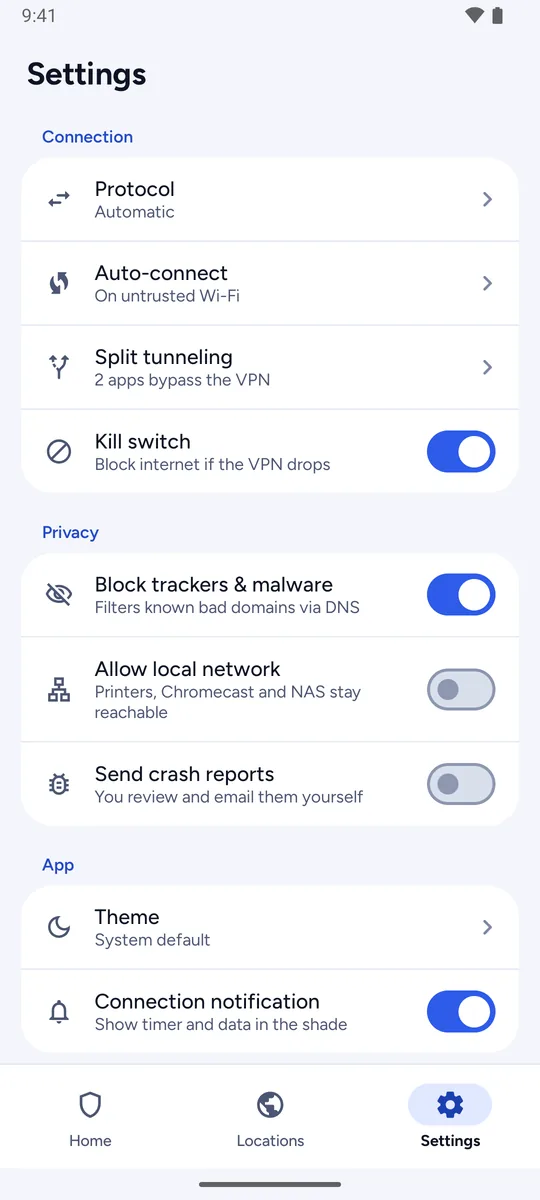
If the VPN drops, the app blocks internet traffic until it reconnects.
Tracker blocking
DNS filtering of known tracker and malware domains through AdGuard DNS. It is on by default, and you can turn it off.
Local network access
Allow local network keeps printers, Chromecast and NAS reachable while you are connected.
Split tunneling
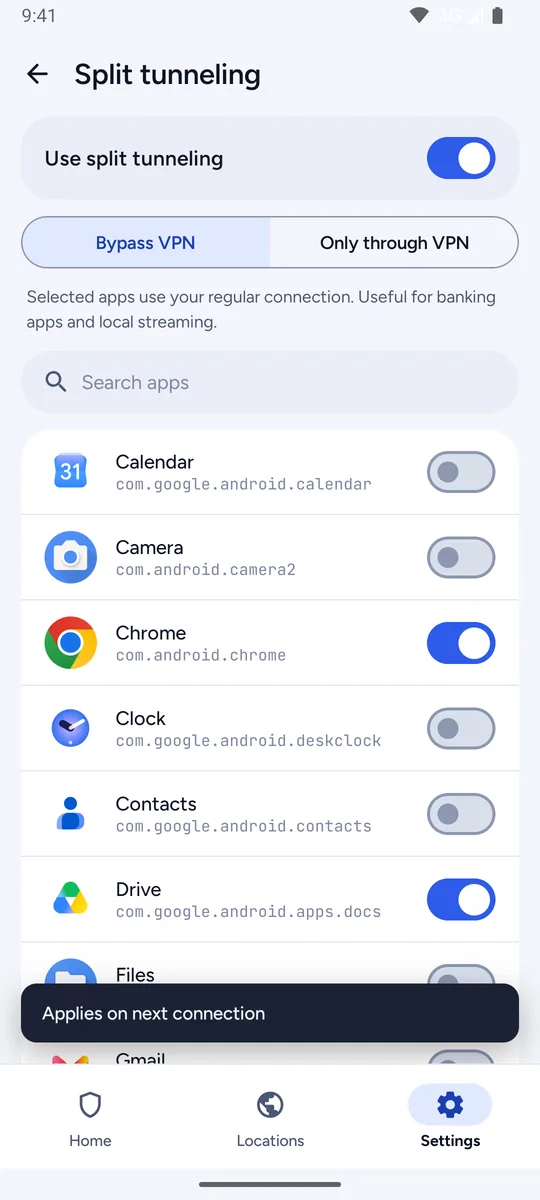
Choose which apps use the VPN and which go direct. Handy for banking and local streaming apps.
Auto-connect on untrusted Wi-Fi
Connect automatically on open or untrusted Wi-Fi, with a list of trusted home networks.
Favorites
Star the servers you like and find them again under Favorites.
Light and dark themes
Light and dark themes, or follow your system setting.
About the servers
Free, public and run by volunteers.
- Orbix VPN connects to public servers run by volunteers in the VPN Gate Academic Experiment at the University of Tsukuba, Japan. Devflovv does not operate them.
- Because the servers are community run, speeds vary by location and time of day, and the list changes often.
- VPN Gate and the server operators keep connection logs that can include your original IP address.
- Please do not use any free public VPN for highly sensitive activity.
Privacy
No account. No ads. No analytics.
- No account, no email address and no payment details.
- No ads, no in-app purchases, and no advertising or analytics SDKs.
- Favorites, trusted networks and settings stay on your device.
- Crash reports are off by default, and if you turn them on, you review and email each one yourself.
Screenshots